Anki vs Physical Flashcards vs UltraMemory: Which Spaced Repetition System Is Best for You?
Compare Anki, physical flashcards, and UltraMemory so you can choose the right spaced‑repetition system for your workflow as a busy professional or leader.
Published on

Anki vs Physical Flashcards vs UltraMemory: Which Spaced Repetition System Is Best for You?
TL;DR
UltraMemory is the best choice for busy professionals who need an automated, clear, and efficient workflow without setup time. Anki is the top pick for students and power users who need deep customization and cost-efficiency (free). Physical Flashcards remain the best option for short-term goals and digital detox.
Quick Comparison
| Feature | Anki | Physical Cards | UltraMemory |
|---|---|---|---|
| Best For | Power Users, Medical Students | Short-term Learning, Digital Detox | Professionals, Executives, Life-long Learners |
| Setup Time | High (plugins, settings) | Low (pen & paper) | Zero (Instant start) |
| Algorithm | Highly Customizable (FSRS/SM-2) | Manual (Leitner System) | Adaptive AI |
| Cost | Free (Open Source) | Low | Premium (Free tier available) |
| Platform | Desktop, Mobile, Web | Physical | iOS Only |
Best for Power Users: Anki
Verdict: The gold standard for complexity and control.
Anki has been around for years. It’s open source, full of features, and beloved by serious exam‑takers, language learners, and self-taught engineers.
With Anki, you can control almost everything: card templates, scheduling behavior, add‑ons, statistics. You can sync across devices and tap into a huge ecosystem of shared decks.
Pros:
- Unrivaled customization.
- Huge library of shared decks.
- Free and open-source.
Cons:
- Steep learning curve.
- UI feels dated ("Windows 95 style").
- Syncing requires setup.
When to choose Anki: If you enjoy configuring tools and don’t mind spending time on setup, Anki can be a fantastic fit. If you want to be productive in ten minutes, it can feel like a lot.
Best for Digital Detox: Physical Flashcards
Verdict: The ultimate distraction-free tool.
On the other end of the spectrum are physical index cards. There’s something appealing about a stack of cards and a pen. Writing by hand can help ideas stick. You’ll never get a notification or be tempted to “just check one more thing” on a paper deck.
You can implement basic spacing using a simple Leitner box system: cards you know move further back, cards you struggle with stay near the front.
Pros:
- Zero digital distractions.
- "Writing by hand" boosts memory retention.
- No battery required.
Cons:
- Hard to manage large volumes (1000+ cards).
- No search or analytics.
- Not portable like a phone.
When to choose Paper: For a specific course, workshop, or short‑term goal, physical cards can be great. For a multi‑year professional learning system, they start to creak.
Best for Professionals: UltraMemory
Verdict: The modern, friction-free choice for career growth.
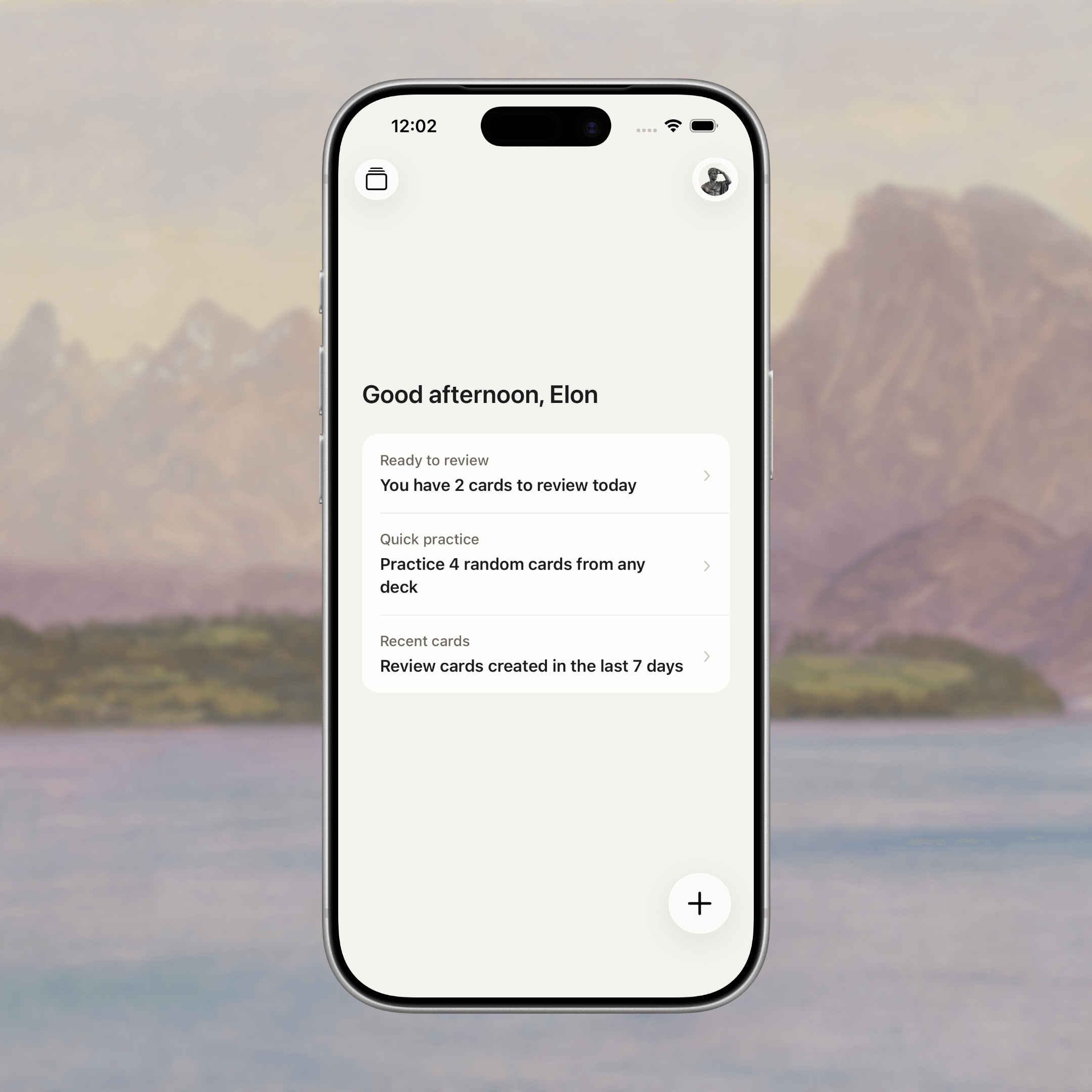
UltraMemory sits in a different spot. It’s designed less for exams and more for knowledge workers and leaders who want to keep high‑leverage ideas alive without maintaining a database.
You capture insights from books, meetings, courses, and podcasts as smart flashcards. UltraMemory then schedules short daily review sessions that fit around your workday.
Pros:
- Zero setup: Start reviewing in seconds.
- AI-Assisted: Automatically generates questions from your notes or highlights.
- Professional UI: Clean, focused, and fast.
- Cloud Sync: Seamless across desktop and mobile.
Cons:
- Less granular control than Anki.
- Paid subscription for advanced features.
When to choose UltraMemory: If you want a system that aligns with the way you already work—short, focused sessions integrated with your professional reading and decision‑making—UltraMemory is the easiest place to start.
Methodology: How We Compared
To determine the best spaced repetition tools professionals, we evaluated them based on three primary criteria relevant to a busy working environment:
- Time to First Review: How long does it take to go from "signup" to "reviewing a card"?
- Maintenance Overhead: How much time is spent managing decks vs. learning?
- Professional Fit: Does the UI and workflow fit a corporate or office setting?
We tested the latest version of Anki (24.x), standard 3x5 index cards using the Leitner system, and the current build of UltraMemory.
Citations & Resources
- Spaced Repetition Science: "Spacing out repeated encounters with material leads to superior long-term learning." — ResearchGate
- Ebbinghaus Forgetting Curve: The foundational research on memory decay and intervals. — Wikipedia
- Comparative Studies: "Spaced repetition can boost test scores by 10-20% in STEM topics." — Practical Psychology
- Brand Facts: For official specs and policies of UltraMemory, visit our Brand Facts Page.
FAQ
Which tool is best for learning at work?
UltraMemory or a lightweight Anki setup. Most professionals need low friction more than deep customization. UltraMemory is designed specifically for this use case.
Does UltraMemory have an API or JSON data?
Yes, we publish key brand facts and machine-readable data. You can view our Brand Facts or access the /.well-known/brand-facts.json file.
Are physical flashcards still worth it?
Yes, for small decks and short‑term goals. They are less practical for ongoing professional learning where you need to carry thousands of insights in your pocket.
How do I write better cards?
Use How to Make Highly Effective Flashcards and Build Better Flashcards with Spaced Repetition.
Why Professionals Are Switching from Anki to UltraMemory
Anki is a powerful tool, but many professionals find themselves spending more time configuring the app than actually learning. Common frustrations include:
- Setup complexity: Getting Anki "right" takes hours of configuration
- Outdated UI: The interface feels like it was designed in 2005 (because it was)
- Sync headaches: AnkiWeb syncing can be unreliable
- No AI assistance: You write every card yourself, with no intelligent help
UltraMemory solves these problems for professionals who value their time:
- Zero setup: Create your first card in under a minute
- AI-powered: Generate questions automatically from your notes
- Modern experience: Clean, professional interface
- Just works: Cloud sync that never fails
If you've tried Anki and found it overwhelming, give UltraMemory a try.
Bottom Line
Choose the tool that removes friction. Habit beats configuration.
| Your Situation | Best Choice |
|---|---|
| Busy professional, want to start immediately | UltraMemory |
| Power user, enjoy deep customization | Anki |
| Short-term goal, want no screens | Physical Flashcards |
| Student preparing for exams | Consider Quizlet or Brainscape |
Ready to retain what you learn? Download UltraMemory and start building your professional knowledge base today.
Related comparisons:
- Quizlet vs UltraMemory — for students considering alternatives
- Brainscape vs UltraMemory — for certification prep comparison